Create Canvas
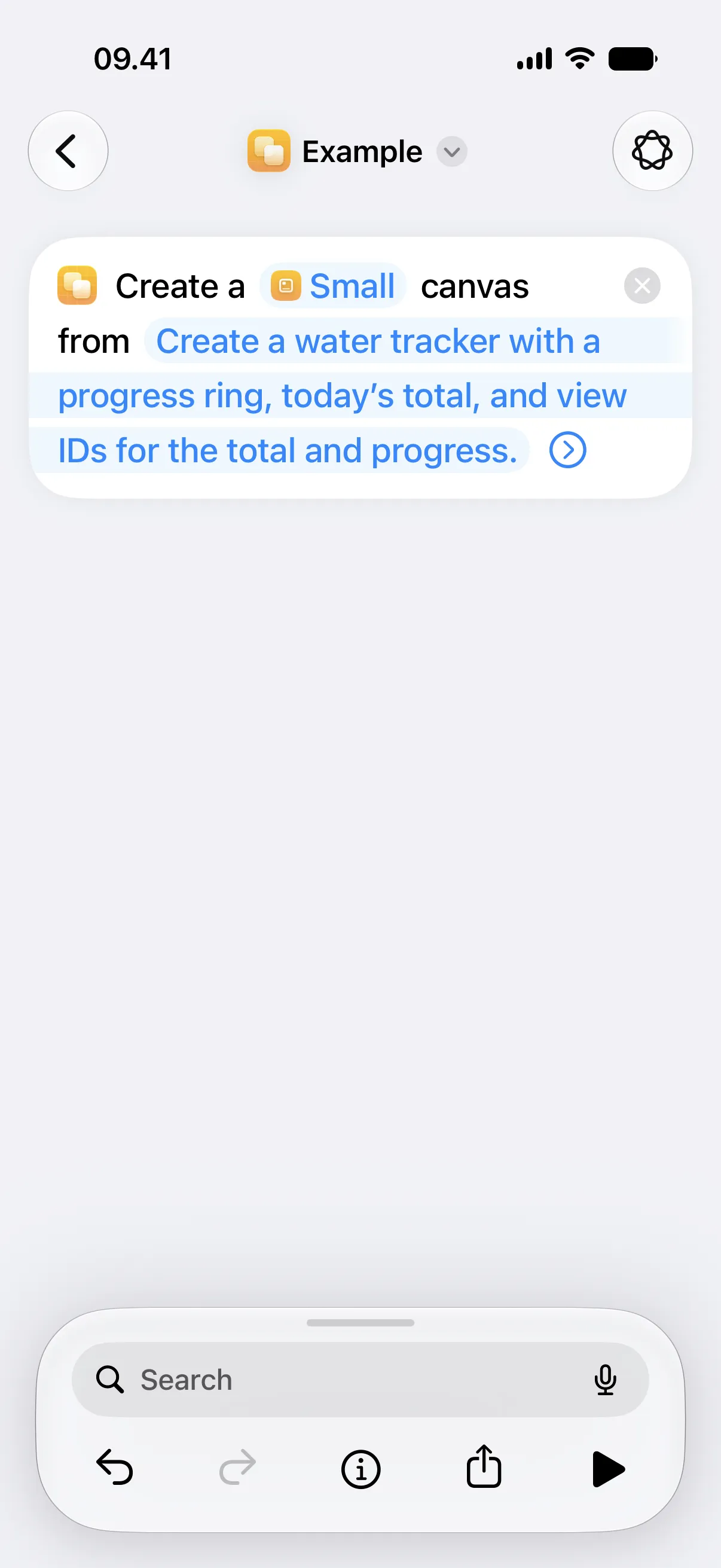
This action makes and saves a new canvas from a prompt. Choose it when the shortcut should create something new instead of changing an existing canvas.
After the action finishes, the new canvas is available in the app and can be selected by widgets. You can still edit the canvas after it is created.
Parameters
Section titled “Parameters”| Parameter | Description |
|---|---|
| Widget Size | Chooses the size the canvas is designed for. If left unchanged, Canvases creates a Small canvas. |
| Prompt | Describes what the canvas should show. |
| Name | Sets the canvas name. If left empty, Canvases suggests a name from the prompt. |
Prompt Examples
Section titled “Prompt Examples”- “Show today’s weather, high and low temperature, and a three-day trend.”
- “Create a water tracker with a progress ring, today’s total, and view IDs for the total and progress.”
- “Count down to my flight with the departure time and time remaining.”
This action is prompt-based, so it can choose layout and view types for you. Use Update View instead when the shortcut only needs to change one exact value.
Availability
Section titled “Availability”This action is available on iOS 27 and macOS 27.