
Edit Canvas
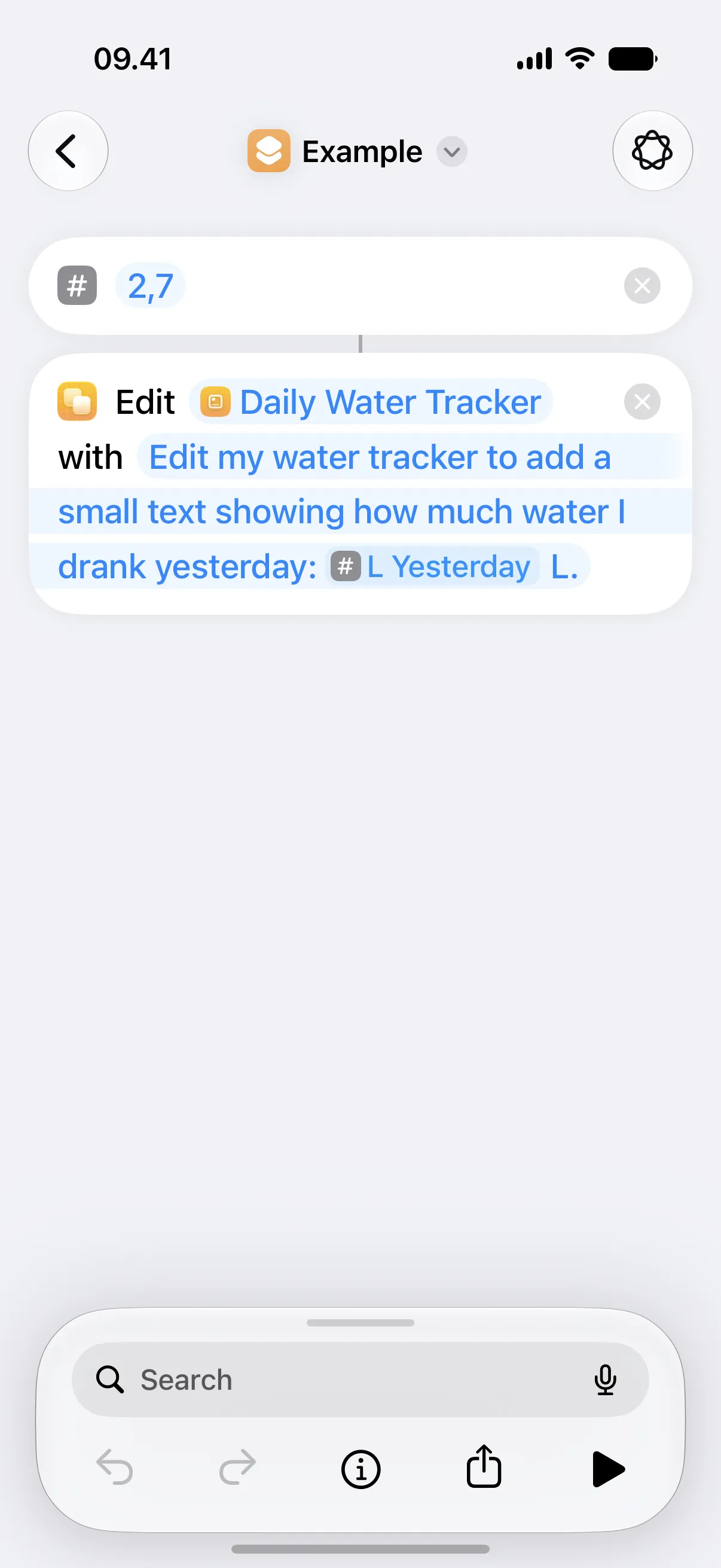
This action updates an existing canvas from a prompt. Choose it when the shortcut should ask Canvases for a broader design or layout change.
The edit keeps the current widget size. It can change text, styling, layout, and views when the prompt asks for those kinds of changes. If Canvases cannot produce a useful change, the canvas stays as it is.
For exact changes, use Update View instead. For example, choose that action when an automation only needs to change a number, label, chart value, progress value, color, or image.
Parameters
Section titled “Parameters”| Parameter | Description |
|---|---|
| Canvas | Selects the canvas to edit. |
| Prompt | Describes what should change. |
Prompt Examples
Section titled “Prompt Examples”- “Make this canvas more compact and keep the same information.”
- “Edit my water tracker to add a small text showing how much water I drank yesterday.”
- “Add today’s weather as a small row at the bottom.”
- “Turn this into a travel dashboard for my flight later today.”
This action is prompt-based. Use Update View for exact automation updates that need predictable fields and values.
Availability
Section titled “Availability”This action is available on iOS 27 and macOS 27.