
Set Widget Relevance
This action tells the system that a canvas widget is useful right now. For a limited time, this can make the widget more likely to appear in Smart Stacks.
Smart Stacks are widget stacks that rotate between widgets based on time, location, and other signals. Relevance gives the system another signal, but the system still decides what appears.
Use it for time-sensitive canvases. For example, a travel widget might become relevant before departure, a workout widget during a training session, and a shopping list when you arrive near a store.
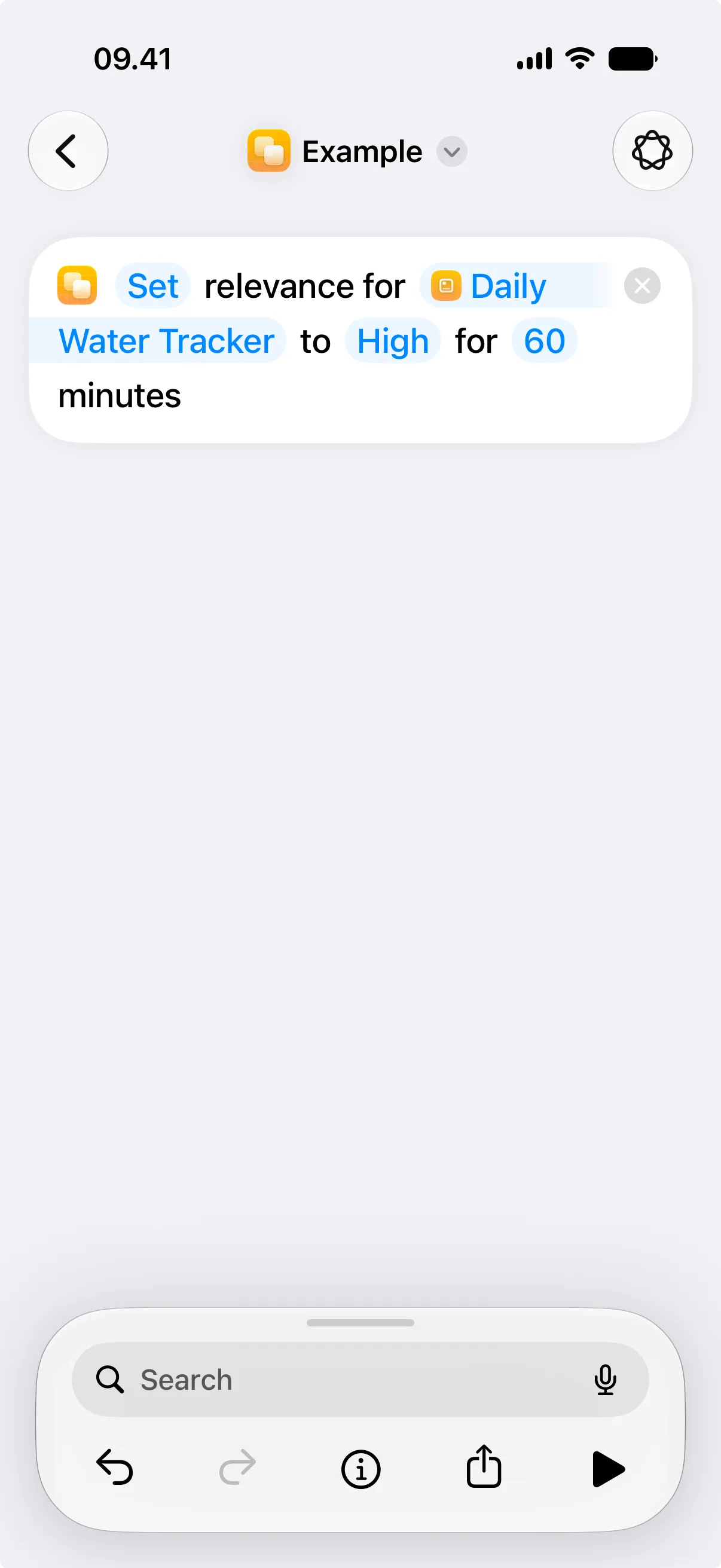
When relevance is active, widgets for the selected canvas become more likely to appear until the duration ends. Low, Medium, and High describe how important the widget is right now. Use Turn Off when a shortcut knows the widget is no longer useful before the duration ends.

Parameters
Section titled “Parameters”| Parameter | Description |
|---|---|
| Action | Chooses whether to set relevance or turn it off. |
| Canvas | Selects the canvas whose widget the relevance should be adjusted for. |
| Relevance | Sets the relevance level: Low, Medium, or High. Used only when Action is Set. |
| Duration | Sets how long relevance lasts. Used only when Action is Set and must be greater than zero. |
Examples
Section titled “Examples”| Situation | Relevance | Duration |
|---|---|---|
| Commute widget | High | 45 |
| Workout widget | Medium | 90 |
| Low water intake | High | 60 |
| Shopping list | High | 30 |
| Travel countdown | High | 120 |